Book screening visits without the back-and-forth
Meeting Scheduling
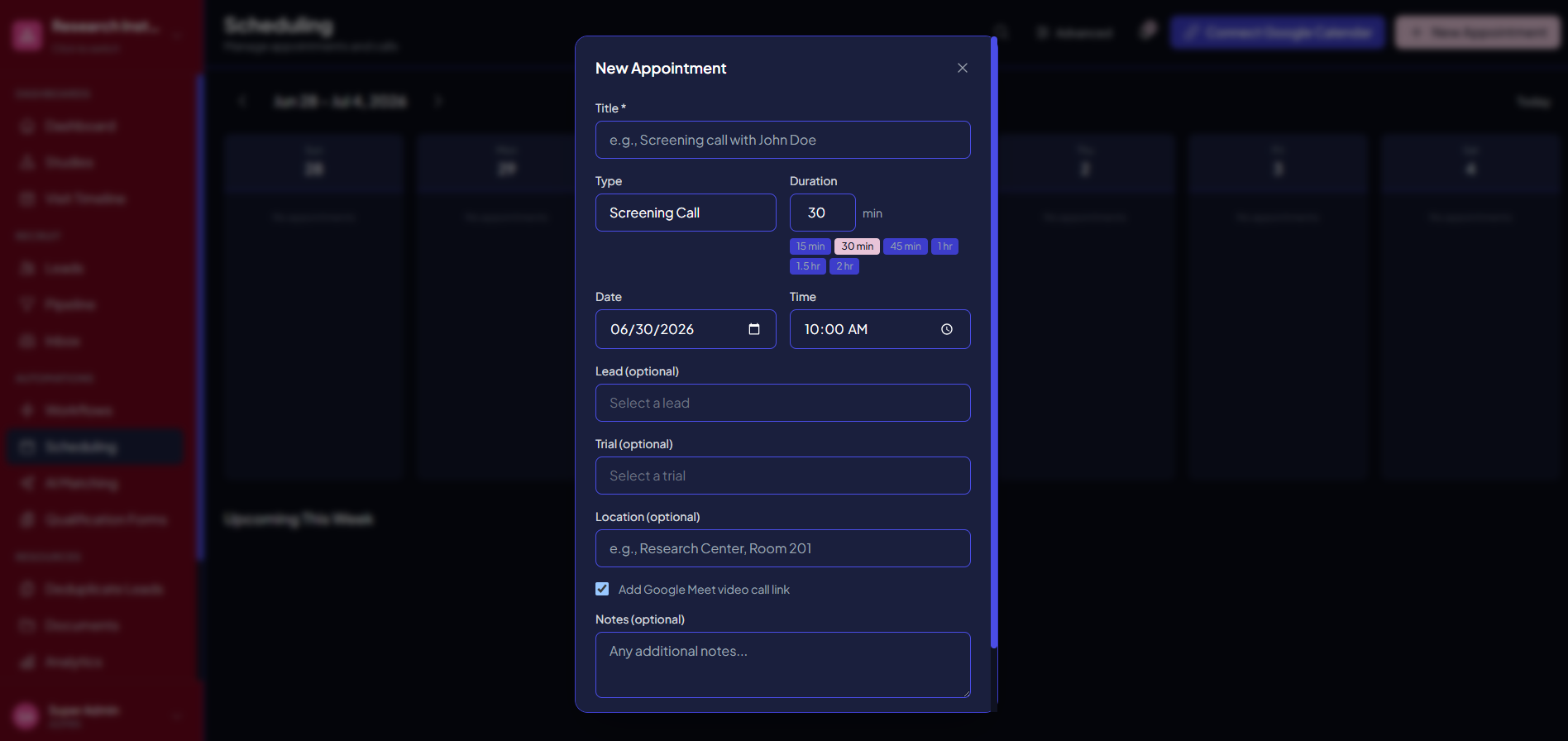
Coordinate screening calls and site visits with scheduling and automated reminders that cut no-shows.
What you get
- Appointment types for phone screens, screening visits, consent, and follow-up
- Google Calendar sync for your team
- Automated email and SMS reminders, plus missed-appointment alerts
- A per-study visit timeline: schedule the whole protocol from one grid
- A participant visit page with details, directions, and one-tap confirmation — no app
Why it matters
Let candidates book the times that work, sync visits to your team's calendars, and send automatic email and SMS reminders — so fewer people miss their screening appointments and your coordinators stop playing phone tag.
See it in action
Meeting Scheduling, inside Trialflow
FAQ
Meeting Scheduling questions, answered
Can candidates schedule their own screening visits?+
Yes. Share a booking link and candidates pick a time that works from your available slots — no phone tag, and the visit lands on your team’s calendar automatically.
Does scheduling sync with my team’s calendars?+
Visits sync to your coordinators’ calendars so availability stays accurate and double-bookings are avoided.
How does this reduce no-shows?+
Automated email and SMS reminders go out ahead of each visit — one a few days before, and one the day before with the practical details. Each carries the participant’s own visit link, where they see when and where, what to bring, and confirm with one tap — and that confirmation feeds attendance-risk scoring so coordinators know who still needs a call.
Can I schedule both phone screens and in-person visits?+
Yes. Use it for screening calls and on-site visits alike, each with its own availability, duration, and reminder cadence.
Can I control my availability and add buffers between visits?+
You set the windows candidates can book and can build in buffer time between appointments so coordinators aren’t scheduled back-to-back.
Can I schedule a participant’s whole protocol at once?+
Yes. Each study has a visit timeline with its own visit definitions, day offsets, and acceptable windows. Generate a participant’s schedule from an anchor event you choose per study — screening by default — and when one visit moves, the visits that depend on it realign, except any date a coordinator has deliberately locked.
Which plans include meeting scheduling?+
Meeting scheduling — together with participant monitoring — is included starting with the Growth plan.
See Meeting Scheduling in action
Get a personalized walkthrough tailored to your studies and therapeutic areas.