The list your sponsor asked for, in a minute
Report Builder
Filter your database on any field, choose your columns, and export a CSV — without a data request or a spreadsheet marathon.
What you get
- Filter on any field — demographics, status, source, study, consent, visits
- Saved filters, so a recurring sponsor report is one click next time
- Pick your export columns instead of taking whatever the export gives you
- Preview results before you export, and export to CSV when they look right
- Procedure reporting by study and date range, with per-procedure cost
Why it matters
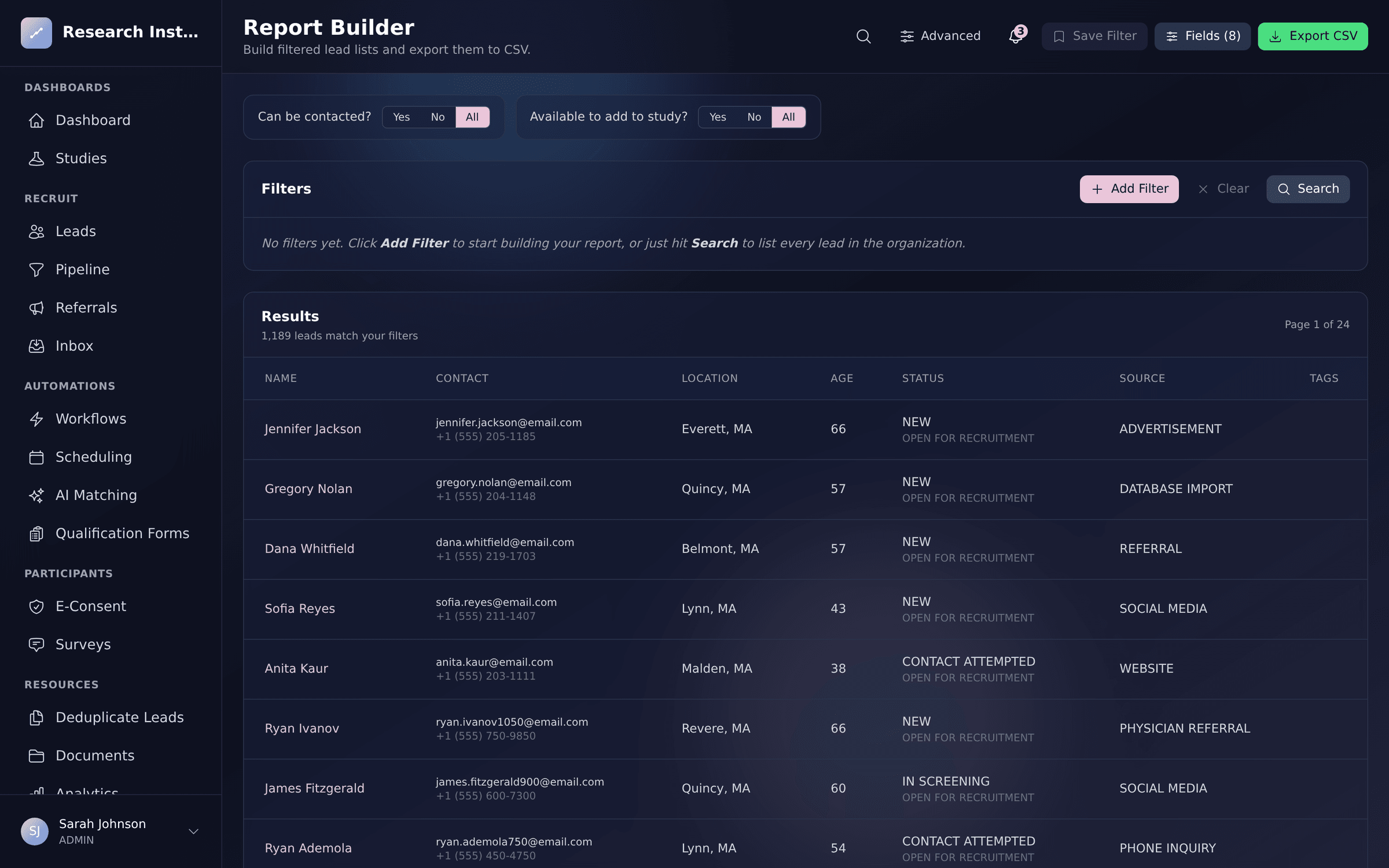
Every sponsor call ends with someone asking for a list. Build it yourself: stack filters across demographics, pipeline status, study participation, source, consent, and visits; preview the matching participants; pick exactly which columns to export; and save the filter so next month is one click.
See it in action
Report Builder, inside Trialflow
FAQ
Report Builder questions, answered
What can I filter on?+
Demographics and location, pipeline and recruitment status, source and campaign, study participation and subject ID, consent, visits, tags, and dates — combined with operators like is any of, contains, between, and is empty.
Can I save a report I run every month?+
Yes. Save the filter set and re-run it whenever you need it, so the monthly sponsor list or the quarterly IRB report is a click rather than a rebuild.
Do I control which columns are exported?+
Yes. Choose from the full field catalog and the CSV comes out with exactly those columns, in a shape you can hand over or drop into another system.
Can I report on visits and procedures too?+
Yes. A dedicated procedure report pulls completed procedures per participant for a study and date range — including unscheduled and screen-fail visits — with per-procedure costs for invoicing.
Is this different from analytics?+
Analytics answers “how are we doing” with dashboards. The report builder answers “give me the list” — the specific participants matching specific criteria, exported in the columns someone asked for.
Who can run reports?+
Report access follows the same role-based permissions as the rest of the platform, so exports respect what each team member is allowed to see.
See Report Builder in action
Get a personalized walkthrough tailored to your studies and therapeutic areas.