Put your busywork on autopilot
Workflows and Automations
Trigger actions automatically when leads change status — message, assign, schedule, or advance candidates without lifting a finger.
What you get
- Triggers on new leads, status changes, form submissions, and completed visits
- Auto-assign, auto-message, auto-advance, and notify the right coordinator
- Chain multiple steps into recruitment playbooks, with a run log for every fire
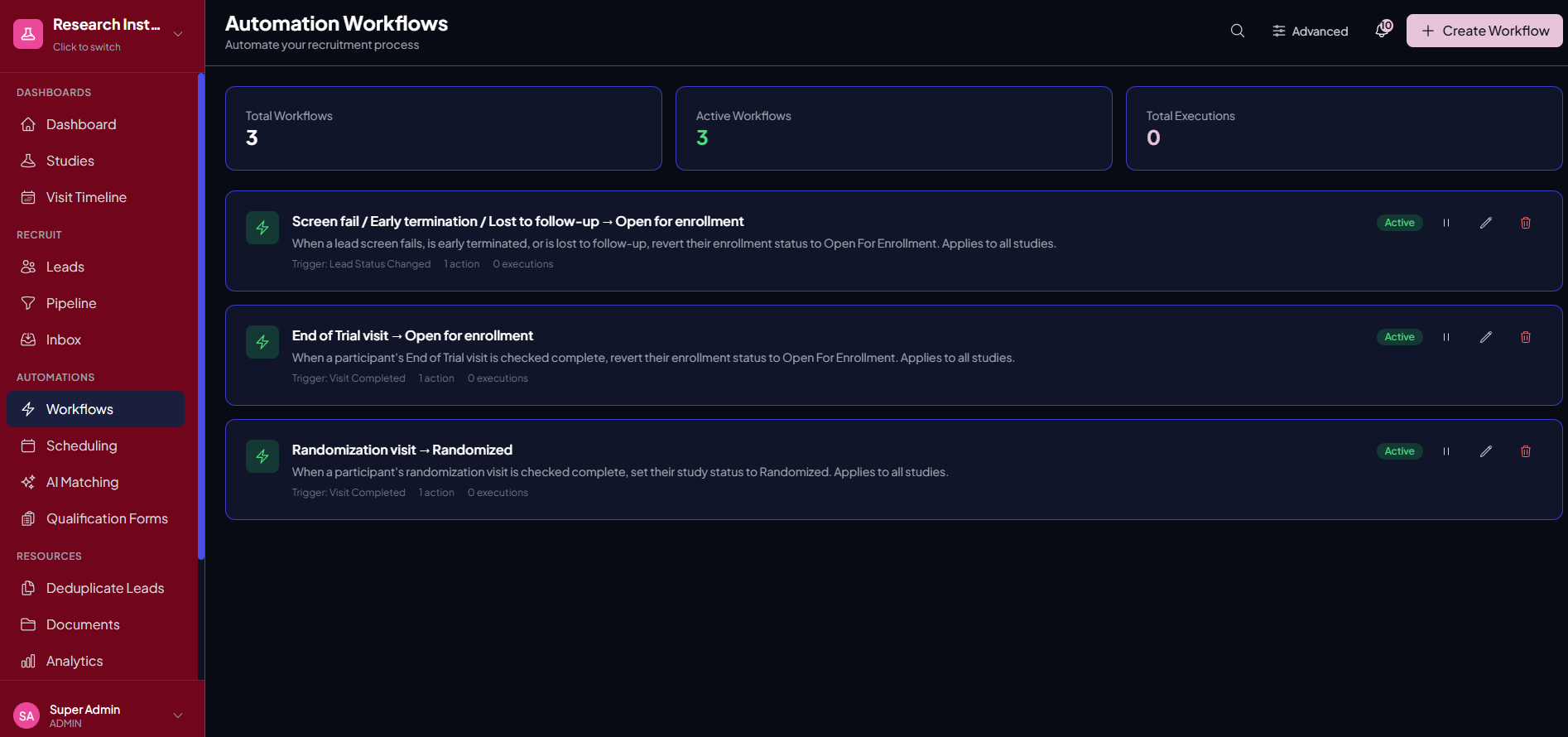
- Sensible defaults out of the box — randomization and screen-fail rules included
Why it matters
Codify your team's playbook. When a lead hits a stage, Trialflow can send a message, assign a coordinator, create a task, or move them forward — so your process runs the same way every time, even on your busiest weeks.
See it in action
Workflows and Automations, inside Trialflow
FAQ
Workflows and Automations questions, answered
What kinds of actions can a workflow take?+
When a trigger fires, a workflow can send an email or SMS, assign a coordinator, create a task, or advance the candidate to the next stage — the routine steps your team would otherwise do by hand.
What triggers a workflow?+
Workflows run off events in your pipeline: a lead is created, a status or stage changes, a qualification form is submitted, or a study visit is checked complete — so the moment a lead becomes “qualified,” or a randomization visit is marked done, the right follow-up happens automatically.
Do I have to build everything myself?+
No. Every organization starts with a set of default workflows for the rules most sites want anyway — moving a participant to randomized when their randomization visit completes, or reopening someone for recruitment after a screen failure — which you can edit, pause, or delete.
Can I chain multiple steps together?+
Yes. Combine several actions into a recruitment playbook — for example, assign a coordinator, send a welcome text, and create a follow-up task — so your process runs the same way every time.
Do I need technical skills to set workflows up?+
No. Workflows are built from simple trigger-and-action rules in the interface, so coordinators can codify the team’s playbook without writing code.
Can I see what a workflow did?+
Yes. Automated actions are recorded on the participant’s timeline and audit history, so you always know what fired, when, and why.
Will automations take control away from my coordinators?+
You decide where automation helps and where a human stays in the loop. Build manual checkpoints into a playbook so sensitive steps still require a coordinator to act.
Which plans include workflows and automations?+
Workflows and automations are included starting with the Growth plan.
See Workflows and Automations in action
Get a personalized walkthrough tailored to your studies and therapeutic areas.